

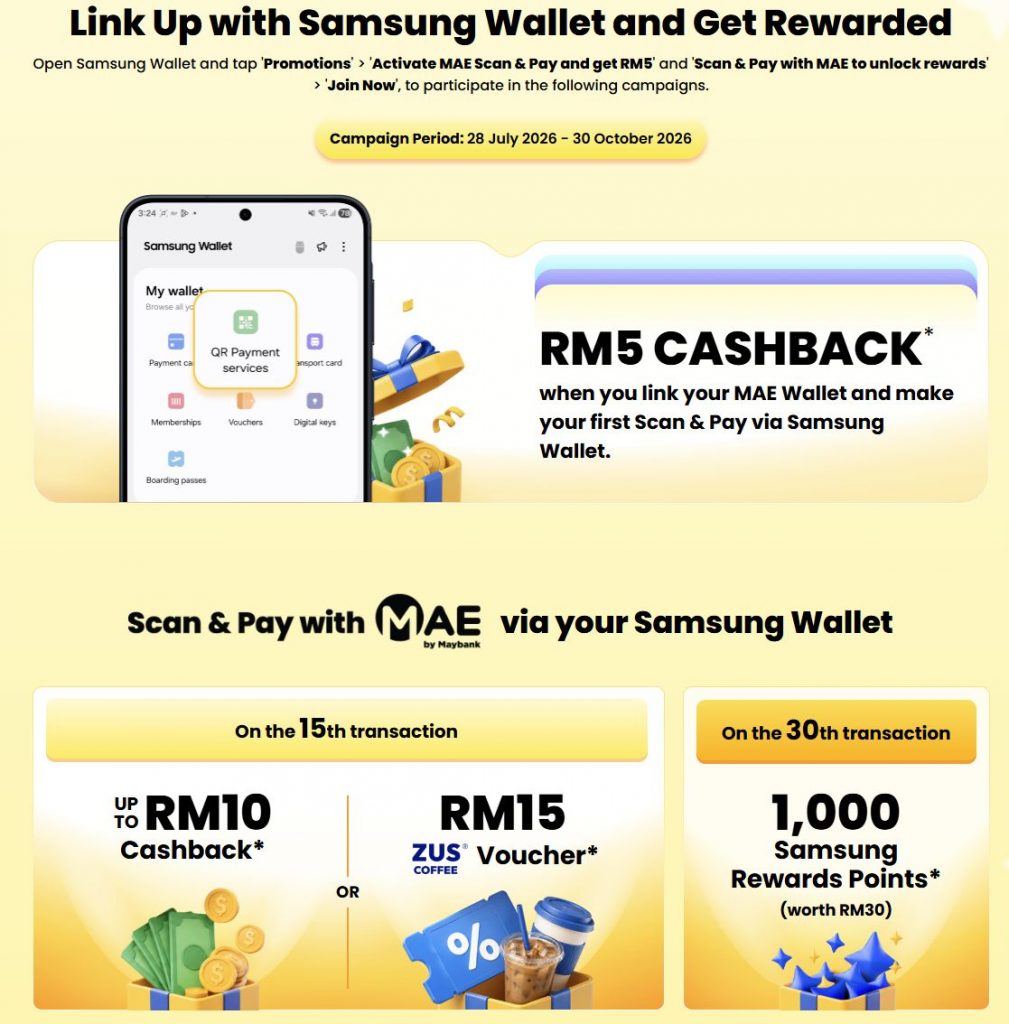
In case you missed it, Samsung Galaxy users can now link their Maybank MAE Wallet to Samsung Wallet for seamless DuitNow QR payments.
As part of its introductory promo, Maybank is offering rewards worth RM500,000 through a promotional campaign that starts today 28th July 2026 until 30th October 2026.
If you’ve linked your MAE account to Samsung Wallet before this, not to worry as you’re still eligible to redeem the cashback reward.
Get RM5 cashback and up to RM10 cashback or RM15 ZUS Voucher
As shared by Maybank, they are offering RM5 Cashback when you link your MAE Wallet to Samsung Wallet. Just make sure you Join the campaign and then perform a QR transaction.
Subsequently, they are also giving a random cashback reward on your 15th transaction. Users will either receive Cashback up to RM10 or RM15 ZUS Coffee Voucher.
On the 30th transaction, they are offering 1,000 Samsung Rewards Points (worth RM30).
According to the Samsung x MAE Promo T&C, the initial RM5 cashback is limited to the 30,000 eligible participants. Meanwhile, the reward for the second campaign for the 15th transaction is limited to 56,600 units, while the 1,000 Samsung Rewards Points is limited to 6,000 units.
Here’s the breakdown for the 15th Transaction and 30th Transaction Rewards:
15th Transaction
- RM2 Cashback – 45,000
- RM5 Cashback – 3,600
- RM10 Cashback – 2,000
- RM15 Zus Coffee eVoucher – 6,000
30th Transaction
- 1,000 Samsung Rewards Points – 6,000
It is mentioned that all cashback rewards will be fulfilled within 60 working days after issuance of cashback redemption ticket on the Samsung Wallet.
How to activate MAE Scan & Pay Promo
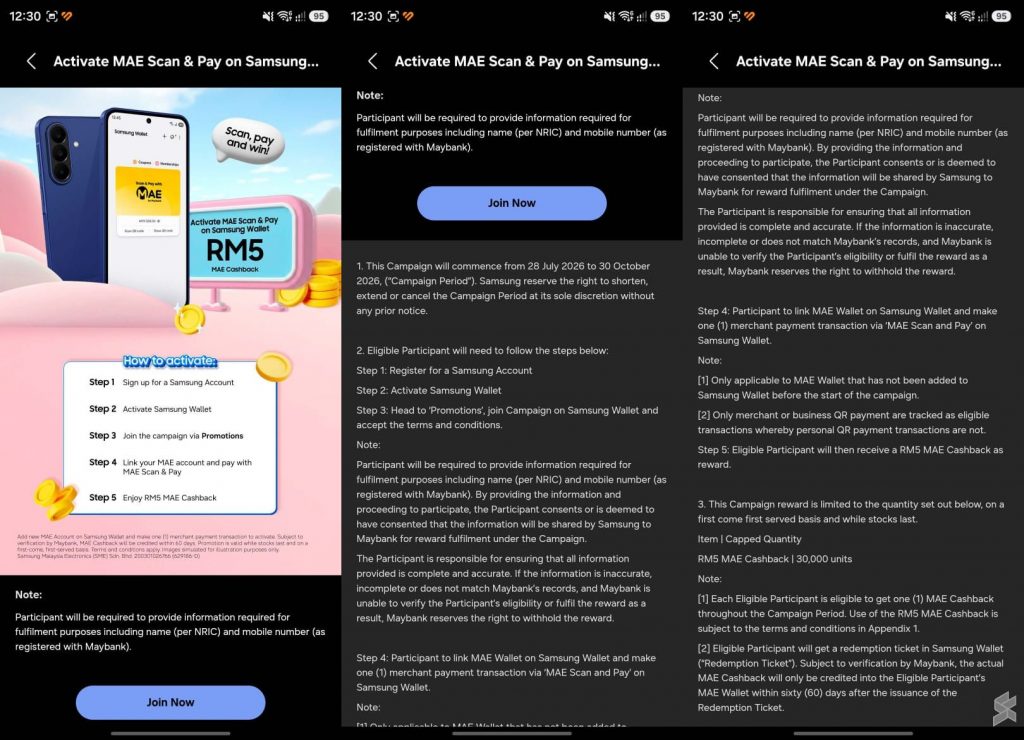
To participate in the promo, you’ll need to go to Samsung Wallet, then tap on the Promotions section or banner.
From there, you’ll need to scroll down and tap on “Join Now”, enter your full name as per NRIC and your mobile number that’s registered with Maybank.
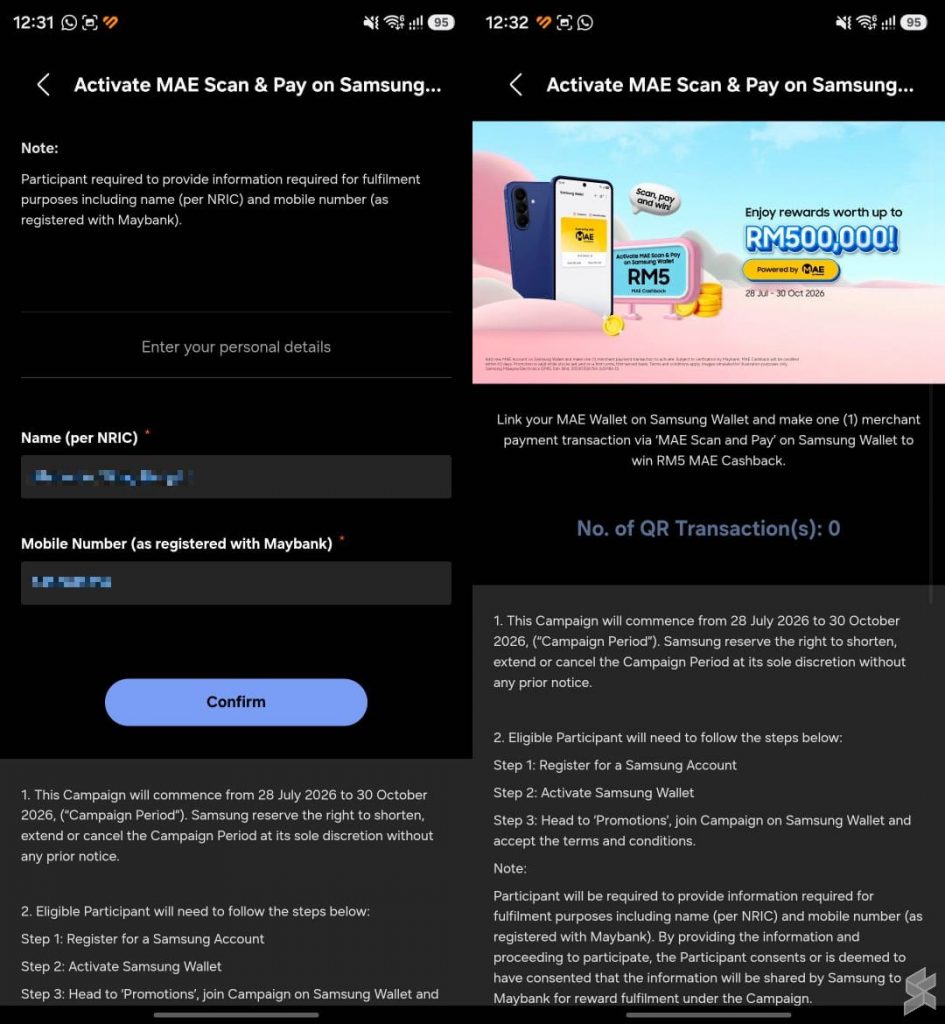
After joining the campaign and completing a QR transaction via Samsung Wallet, you should see a MAE RM5 Cashback voucher. The cashback will be reflected in your MAE Wallet within 60 days.
How to link MAE Wallet to Samsung Wallet
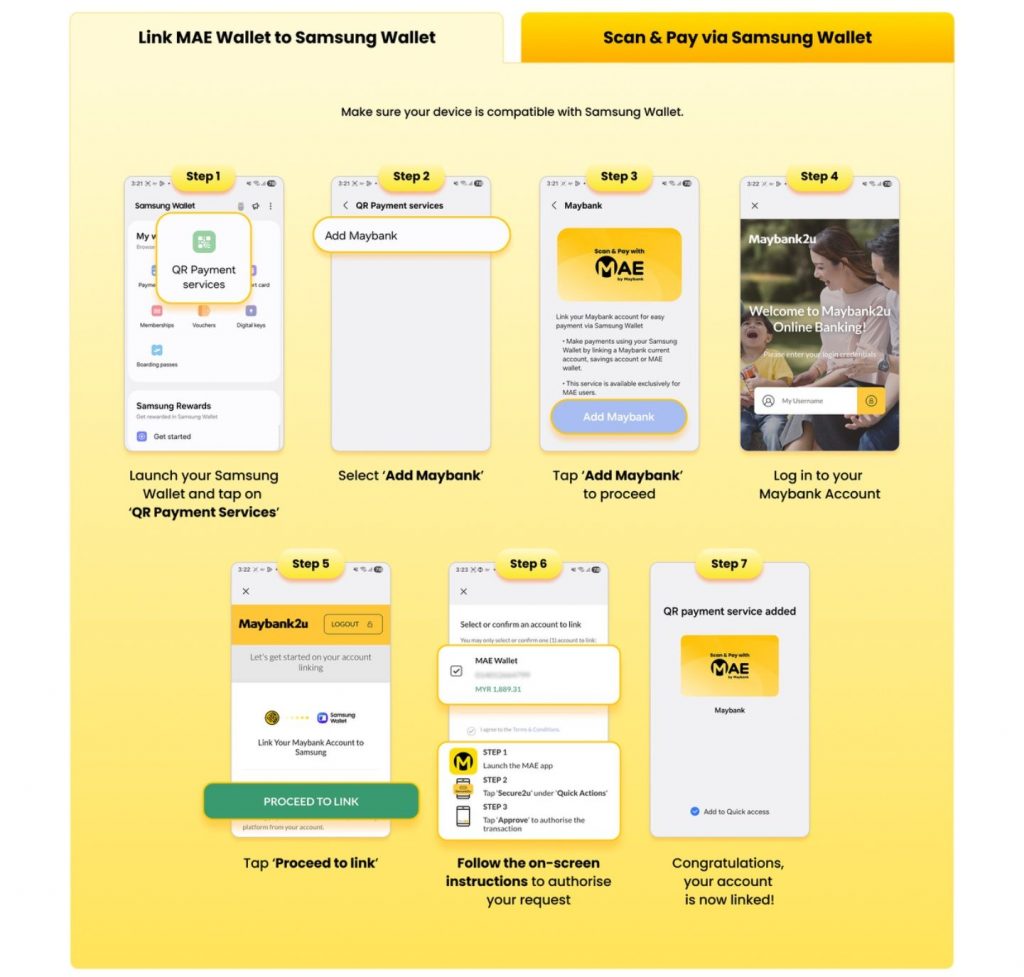
If you haven’t link your MAE Wallet to Samsung Pay, here’s what you need to do.
- Update your Samsung Galaxy device with the latest update ( Settings > Software Update > Check for updates )
- Update your Samsung Wallet app ( Galaxy Store > Samsung Wallet > Update ) to 6.6.97 or newer
- Launch Samsung Wallet, tap on + and select QR Payment Services
- Add Maybank and follow the instructions
- Login to your Maybank account and add your MAE Wallet
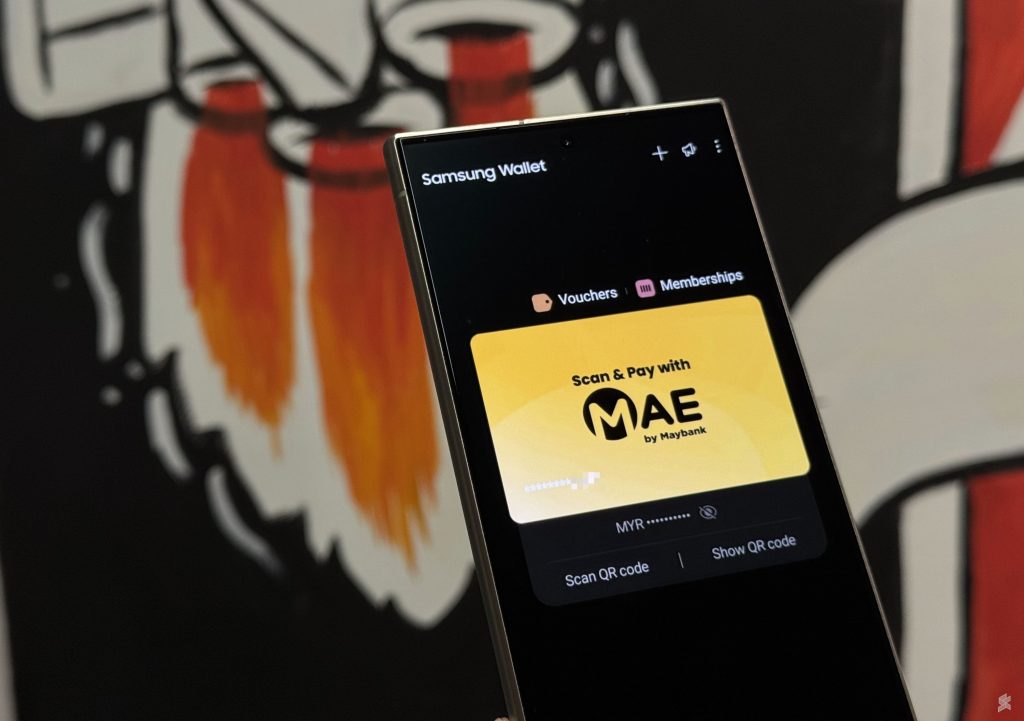
Once you’re done, you can make QR payments via MAE wallet by simply swiping up from the bottom edge of your Samsung device.
Take note that the Samsung Wallet update is rolling out in stages. Try to check for updates later if you do not see new Samsung Wallet updates on your first try.